
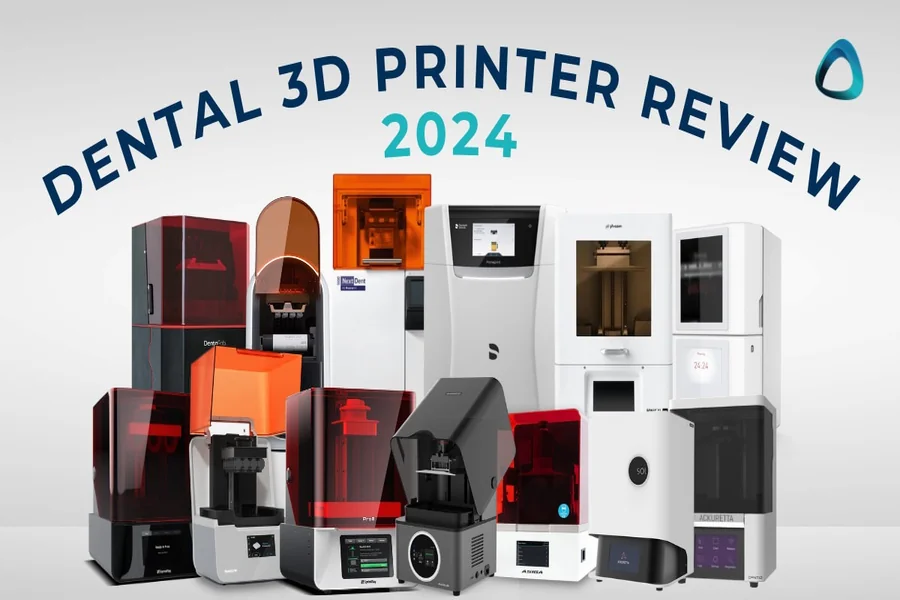
In the rapidly evolving world of digital dentistry, 3D printers have become indispensable. From surgical guides and crown-and-bridge models to custom trays and permanent dentures, additive manufacturing is revolutionizing patient care. However, even the most advanced dental 3D printer is only as good as the instructions it receives.
This is where slicer software comes in.
Acting as the critical bridge between a digital design and a physical object, the slicer translates your 3D model (STL file) into the layer-by-layer G-code language your printer understands. For dental professionals, a standard, generic slicer simply won’t cut it. The stakes are too high—a failed print means wasted time, expensive materials, and a delayed patient appointment.
Dental-specific slicer software is engineered to handle the unique challenges of biocompatible resins, intricate geometries, and the uncompromising demand for precision. In this guide, we count down the five best 3D printing slicer software for dental applications, examining their strengths, ideal users, and why the right choice can transform your digital workflow.
What to Look for in a Dental Slicer Software
Before we dive into the list, let’s establish the key features that separate a professional dental slicer from a generic one:
- Dental-Specific Material Profiles: Pre-configured settings for leading dental resins (e.g., from Formlabs, KeySplint, Dreve, NextDent) ensure correct exposure times and lift speeds for optimal results.
- Intelligent Support Generation: The ability to place supports that are strong enough to hold the print but easy to remove without damaging critical surfaces, like the intaglio of a denture.
- Hollowing & Drainage Tools: Essential for saving material and ensuring uncured resin is washed out of large models like bases and splints.
- Efficient Nesting: The ability to strategically arrange multiple objects on a single build plate to maximize productivity.
- User Experience: An intuitive interface that saves time and reduces the learning curve for dental technicians.
1. CHITUBOX DENTAL: The Specialized Powerhouse
Best For: Dental labs and clinics of all sizes looking for a dedicated, feature-rich, and cost-effective dental slicing solution.
Overview:
Topping our list is CHITUBOX DENTAL, a software built from the ground up for the professional dental market. While its parent company, CHITUBOX, is renowned in the general 3D printing world, CHITUBOX DENTAL is a specialized iteration that understands the nuances of dental workflows. It has quickly become a favorite for its powerful features and focused approach.
Key Features:
- Optimized Dental Library: CHITUBOX DENTAL comes pre-loaded with printing parameter templates for a vast array of certified dental resins. This eliminates manual guesswork and ensures that materials are printed with settings recommended by the manufacturers themselves.
- Advanced & Intelligent Auto-Supports: This is arguably its standout feature. The software’s algorithms are fine-tuned for dental geometries. It places supports intelligently on non-critical areas, ensuring successful prints while making post-processing easier and preserving the accuracy of fitting surfaces. Manual editing tools are also robust and precise.
- One-Click Hollowing with Auto-Drainage: For models like denture bases or study models, the hollowing function is a massive resin-saver. CHITUBOX DENTAL not only hollows the model with a user-defined wall thickness but also automatically suggests and creates drainage holes for effective washing and post-curing.
- High-Efficiency Nesting: The 3D printing slicer software allows for easy arrangement of multiple models on the build plate, with both manual and automatic options. This is crucial for labs looking to maximize output and reduce the cost-per-print.
- User-Friendly Interface: Despite its advanced capabilities, the interface is clean, logical, and easy to learn, reducing training time for staff.
Why It’s #1: CHITUBOX DENTAL doesn’t try to be everything to everyone. It focuses exclusively on the dental vertical, and it shows. The combination of its material library, dental-aware support generation, and efficient workflow tools makes it the most comprehensive and reliable standalone slicer for the dental industry today.
2. PreForm (Formlabs): The Ecosystem Champion
Best For: Dental practices and labs that exclusively use Formlabs 3D printers.
Overview:
PreForm is Formlabs’ proprietary slicing software, and it is a masterclass in a closed, optimized ecosystem. If you own a Formlabs printer, PreForm is your default—and excellent—choice. It is designed to work seamlessly with Formlabs’ hardware and their extensive library of dental resins.
Key Features:
- Seamless Integration: PreForm is perfectly tuned for every Formlabs printer. The settings are automatically configured based on the printer model and the specific Formlabs resin you select (e.g., Dental Model, Surgical Guide, or Denture Base).
- Incredibly Streamlined Workflow: The process is simple: load your model, select your resin, orient, generate supports, and slice. The software handles most of the complexity in the background, making it very beginner-friendly.
- Reliable Support Generation: Formlabs has continuously refined its support algorithms over the years. The generated supports are highly reliable for successful prints and are designed to be removed cleanly.
- Cloud Print Monitoring: For users with Form 3+ printers, PreForm integrates with Formlabs’ dashboard for remote print monitoring and management.
The Catch: The major limitation of PreForm is its lack of compatibility. It cannot be used with any non-Formlabs printers. You are locked into the Formlabs ecosystem.
Why It’s #2: For those within the Formlabs walled garden, PreForm is arguably the best and easiest slicer to use. Its reliability and seamless integration are top-tier. However, its lack of flexibility and advanced customization options for third-party materials place it just behind a more versatile tool like CHITUBOX DENTAL.
3. Lychee Slicer (Dental Edition): The Feature-Packed Contender
Best For: Advanced users and labs that want extensive customization and a vibrant community.
Overview:
Lychee Slicer is another major player in the general resin slicing market, and it offers a dedicated Dental Edition. Known for its beautiful UI and a wealth of features, Lychee Slicer is a powerful alternative that competes directly with CHITUBOX.
Key Features:
- Extensive Material Profile Library: Similar to CHITUBOX, Lychee Slicer boasts a massive, community-driven library of resin profiles, including many for dental materials.
- Multiple Support Generation Modes: Lychee offers several algorithms for auto-supports (e.g., “Suction Safe,” “Island Hunter”), giving users different strategies to tackle difficult models.
- Advanced Customization “Pro” Features: The Pro version offers powerful tools like “Paint-on” supports, which allow for incredibly precise manual control, and advanced hollowing patterns.
- Scene Calibration & Simulation: Helpful tools for visualizing the print process and checking for potential issues before sending the file to the printer.
Why It’s #3: Lychee Slicer is an excellent and powerful piece of software. The choice between Lychee Slicer Dental and CHITUBOX DENTAL often comes down to personal preference and specific workflow needs. Some users find Lychee’s interface more intuitive, while others prefer CHITUBOX’s approach. Lychee is a very strong contender, but CHITUBOX DENTAL’s targeted dental-focused optimizations give it a slight edge in a professional lab setting.
4. VoxelDance Additive: The Integrated CAD/Slicing Solution
Best For: Dental labs that want a tightly integrated workflow from CAD design to slicing within a single platform.
Overview:
VoxelDance Additive takes a different approach. It’s more than just a slicer; it’s a hybrid platform that combines CAD-like repair and editing tools with advanced slicing capabilities. This can be a huge efficiency boost for labs that perform a lot of design modifications.
Key Features:
- Powerful Mesh Editing Tools: Unlike traditional slicers, VoxelDance allows you to directly repair, sculpt, and edit your STL files without needing a separate CAD program. You can fix broken meshes, add logos, or make adjustments on the fly.
- Smart Supports & Hollowing: It includes all the expected dental features, such as intelligent support generation and hollowing with drainage holes, which are well-implemented and reliable.
- Multi-Printer Management: A great feature for large labs, as it allows for easy management of different printer profiles and materials across various machines.
- Customizable Workflow: The software is highly customizable, allowing labs to create and save their own process templates for different types of prints (e.g., “Surgical Guide” template, “Model” template).
Why It’s #4: VoxelDance is incredibly powerful but has a steeper learning curve. Its strength as an all-in-one solution can also be a weakness if you are already committed to a separate, preferred CAD software. It’s best for labs that need its specific integrated CAD/CAM capabilities.
5. ideaMaker (Raise3D): The Rising Star for FFF Dental
Best For: Dental labs utilizing Fused Filament Fabrication (FFF) for non-sterile applications like large models or clear aligner molds.
Overview:
While most dental printing is resin-based (vat polymerization), FFF technology has its place, particularly for cost-effective, large-sized dental models and thermoforming molds. ideaMaker, from Raise3D, is one of the best FFF slicers on the market, with a growing set of dental-specific features.
Key Features:
- Custom Support Structures: ideaMaker allows for incredible control over support structures, enabling users to create easy-to-remove “tree” supports or block supports that minimize contact with the model’s critical surfaces.
- Infill & Surface Optimization: For models that need to be strong yet lightweight, or molds that require a perfectly smooth surface, ideaMaker offers extensive infill patterns and surface-tuning options.
- Dental Model Generator Plugin: This is a key differentiator. Raise3D offers a plugin that can automatically generate a base for dental models with features like articulation hooks, making the workflow much faster.
- Calibration and Testing Tools: Built-in calibration models help users fine-tune their printers for maximum accuracy, which is paramount in dentistry.
Why It’s #5: ideaMaker earns its spot by being the best-in-class slicer for a specific niche within dentistry: FFF printing. For a lab that runs both resin and FFF printers, having a specialist tool like ideaMaker for their filament-based needs is essential.
Conclusion: Choosing the Right Tool for Your Practice
The “best” slicer software ultimately depends on your specific equipment, workflow, and expertise.
- For a dedicated, versatile, and powerful all-rounder that works with a wide range of dental printers and resins, CHITUBOX DENTAL is our top recommendation.
- For exclusive Formlabs users seeking a hassle-free, optimized experience, PreForm is your perfect, built-in solution.
- For labs that value deep customization and a strong community, Lychee Slicer Dental is a fantastic alternative to explore.
- For labs wanting an integrated CAD and slicing platform, VoxelDance Additive offers a unique and powerful workflow.
- For those utilizing FFF technology, ideaMaker is the specialist tool you need.
Investing time in selecting and mastering your slicer software is not just about preventing print failures; it’s about unlocking the full potential of your digital dental workflow. By choosing a specialized tool like CHITUBOX DENTAL, you ensure that every crown, model, and denture you produce meets the high standards of precision and efficiency that modern dentistry demands.
